Choosing a Document Camera supplier in China can shape image quality, classroom usability, and long-term support. Buyers often compare optical resolution, autofocus speed, capture area, built-in lighting, and connection options. These specifications matter, but they do not tell the whole story. Details matter.
A clear product sheet is useful, while hands-on sample testing can reveal slow focus, glare, or awkward controls. Check how the camera handles a textbook page, a small circuit board, and handwriting under ordinary room lights. Ask suppliers about quality checks, firmware updates, warranty terms, spare parts, and technical support. Request current documents for claimed certifications, and confirm that they match the exact model being considered. No supplier is perfect.
This guide explores how to evaluate China-based document camera manufacturers and suppliers without treating “best” as a universal label. Production capacity, customization options, communication, delivery planning, and after-sales service can all affect the fit. A low quote may look attractive, yet unclear specifications or inconsistent sample results can add cost later. Compare equivalent models and record answers in writing. Where details remain vague, pause and ask again. That extra step may feel slow, but it can prevent avoidable surprises. The right partner is the one whose product, evidence, and support meet your actual needs—not simply the one with the strongest brochure.
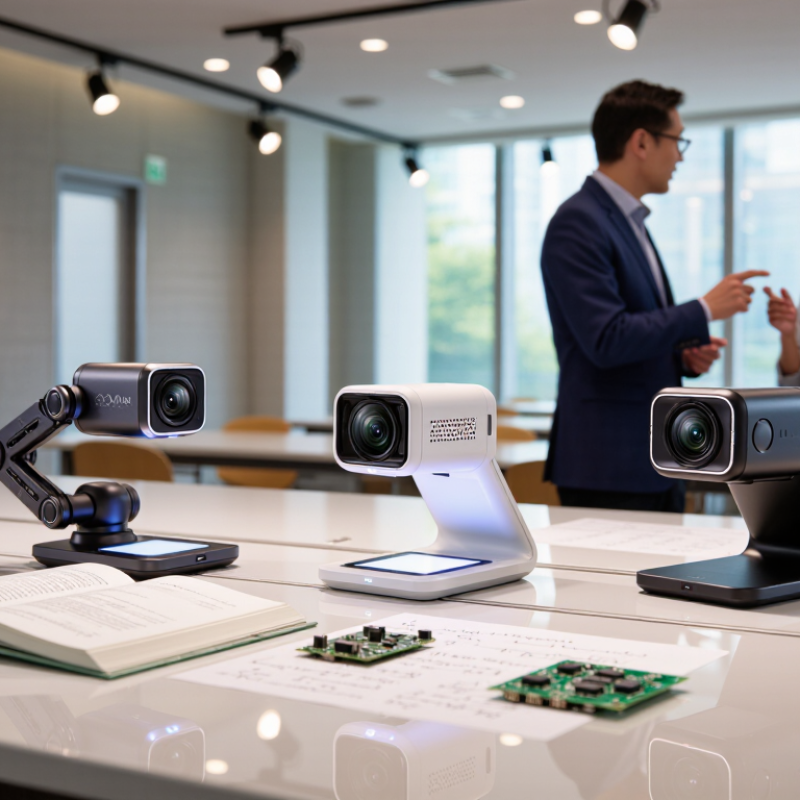
A document camera is a tabletop imaging device that shows physical materials on a larger screen. Its camera sits above a work surface, capturing pages, diagrams, or small objects in real time. Many models include adjustable arms and built-in lights, which help reduce shadows during demonstrations. A teacher can place a marked-up worksheet beneath the lens and explain each step to the whole class. Small details matter. Focus, image clarity, and the camera’s working area affect what viewers can actually see. A glossy page may still reflect light, so positioning often takes a little adjustment.
Document cameras are used in classrooms, training rooms, libraries, and meeting spaces. They can display book pages without requiring every learner to gather around one desk. In science lessons, an instructor might show a leaf, a circuit, or a close-up drawing while talking through its features. In an office, staff can share paper forms or handwritten notes during a presentation. A compatible connection to a computer or display makes the image easier to share, though ports and software support should be checked before purchase. The device is useful, but it does not replace good teaching or clear explanations. Some setups feel awkward at first, and that is worth admitting. A quick test with the actual materials can reveal glare, cropping, or slow focusing before a lesson begins.
Document cameras generally fall into portable, desktop, and ceiling-mounted types. Portable models fold into a small case and suit mobile teaching or compact meeting rooms. Desktop units use a stable base and adjustable arm, making it easier to show books, circuit boards, or handwritten notes. Ceiling-mounted cameras save desk space, though installation and framing require more planning.
Image quality depends on more than advertised resolution. A sharp sensor helps reveal fine print, while autofocus keeps pages readable when a hand moves underneath. Optical zoom can show small details without the softness often caused by digital enlargement. Built-in LED lights help in dim rooms, but glare on glossy pages can still be annoying. Test it with real materials.
Connectivity shapes daily use. USB models are simple to connect to a computer, while HDMI outputs can feed a display directly. Some units offer wireless sharing or image-capture software, but check compatibility before buying. A flexible arm, responsive controls, and a broad capture area may matter more than extra features. Small details count. Even capable cameras can feel awkward if buttons are hard to reach or the lens takes too long to settle.
China’s document-camera supply base sits within a much larger electronics ecosystem. China’s Ministry of Industry and Information Technology reported 3.4% year-on-year growth in the sector’s added value in 2023. Its electronic information manufacturing industry generated about RMB 15.1 trillion in operating revenue. These figures provide context, not camera-specific market data. Public statistics rarely separate document cameras from broader imaging and classroom equipment categories.
A typical unit brings together optical modules, image sensors, LED lighting, hinges, circuit boards, and software tuning. Components may come from specialist suppliers before assembly and testing at an electronics manufacturing site. Buyers should look beyond resolution. Test autofocus on glossy pages, fine print, and a moving hand. Check cable stability, image delay, and driver support. Small details matter, though specifications alone cannot show how a device performs in daily use.
Tips: Request a sample and a written inspection checklist. Ask for sensor specifications and test results from a repeatable setup. A polished sample does not prove consistent batch quality. That distinction is easy to miss.
Choosing a document camera supplier in China requires more than comparing catalog prices. Ask whether the company designs and assembles the product, or mainly resells it. Request a factory profile, quality-control records, and clear answers about component sourcing. Specific evidence matters. A brief online presentation may look convincing, but it cannot show how consistently units perform across a production batch.
Test a sample under ordinary classroom or office conditions. Place printed text, a glossy page, and a small object beneath the camera. Check focus speed, color accuracy, shadow handling, and image stability at different heights. Confirm that the stated resolution is useful in real software, not only on a specification sheet. Record results, even if they are imperfect. One sample is not proof of reliable mass production; that point is easy to overlook.
Discuss production capacity, lead times, packaging, warranty terms, and technical support before placing an order. Ask for written inspection criteria and a sample inspection report. Clear communication is a practical signal: can the supplier explain a defect and its corrective action without vague promises? Compare several suppliers using the same questions. It takes time. Some answers may still be incomplete, so verify important claims with documents and repeat testing before scaling up.
Compare pixel counts calculated from common image dimensions. Higher resolution can capture finer detail, but also verify the camera’s native sensor resolution, frame rate, connectivity, and image quality.
Pixel counts are calculated as width × height: 1920 × 1080, 2592 × 1944, 3840 × 2160, and 4096 × 2160. When evaluating suppliers, ask for product specifications and sample images to confirm whether the quoted resolution is native or interpolated.
Choosing the right document camera supplier means checking classroom fit, not just comparing resolution. Ask for a live demonstration using a printed worksheet, a glossy page, and a small object. Watch for autofocus delays, glare, and shaky movement. Confirm the camera supports your display connections and operating systems, and ask whether replacement cables and repair parts are available.
Connectivity matters. UNESCO’s 2023 Global Education Monitoring Report estimated that internet access reached 40% of primary schools worldwide. It reported 50% for lower-secondary schools and 65% for upper-secondary schools. These figures make dependable plug-and-play operation worth checking, especially where classroom internet is limited. Request written warranty terms, setup guidance, and a sample unit if possible. A polished specification sheet cannot reveal every awkward classroom detail.
Tips: Test the camera on your actual desk and projector. Ask about return conditions and response times for technical support. Compare total ownership costs, not only the quoted price. One small detail can still be missed.
| Selection Dimension | What to Check | Practical Reference | Evidence to Request from the Supplier |
|---|---|---|---|
| Image resolution | Confirm the native sensor resolution and the maximum still-image and video resolutions. Distinguish native capture from software upscaling. | An 8-megapixel image in a 4:3 aspect ratio is approximately 3264 × 2448 pixels. Resolution alone does not determine image quality. | Product datasheet, sample images of fine print, and a live demonstration using the intended computer or display. |
| Frame rate | Check the frame rate available at the resolution you will use, not just the maximum frame rate at a lower resolution. | 30 frames per second means the camera captures up to 30 frames each second under the stated operating conditions. | Resolution-and-frame-rate table, plus a real-time demonstration of moving pages or objects. |
| Capture area | Measure the largest page or object the camera must show clearly. Check the usable imaging area and camera-head movement. | A3 paper measures 420 × 297 mm. A camera intended to capture a full A3 page should demonstrate coverage of that page at the specified setup distance. | Maximum capture-area specification and a demonstration with a full-size page placed on the working surface. |
| Focus and image controls | Verify autofocus behavior, manual focus availability, exposure, white balance, and whether settings can be adjusted during use. | Performance can vary with lighting, subject distance, and surface reflectivity; test the camera with the materials it will actually capture. | Hands-on test using printed text, glossy material, and three-dimensional objects, where relevant. |
| Zoom and detail | Ask whether zoom is optical, digital, or a combination, and test detail at the intended viewing distance. | Digital zoom enlarges image data and may reduce visible detail; it is not equivalent to optical magnification. | Zoom specifications and comparable sample images at wide and close-up views. |
| Connections and compatibility | Confirm the exact ports and supported operating systems, conferencing applications, and display equipment. | USB, HDMI, and wireless connections are not interchangeable; available functions depend on the camera model and connected device. | Port list, compatibility documentation, required drivers or software, and a test with your intended setup. |
| Lighting and handling | Check whether the unit has built-in illumination, adjustable lighting, a stable base, and a head or arm that holds its position. | Built-in lights can help with uneven room lighting, but reflections on glossy materials should be checked in a practical test. | Product sample or demonstration, operating instructions, and details of included accessories. |
| Manufacturing and quality control | Ask how incoming components, assembly, and finished products are checked, and how defects are recorded and handled. | A documented process is more useful for evaluating consistency than an unsupported quality claim. | Quality-control overview, inspection checklist, sample test report, and clarification of which production steps are performed in-house. |
| Samples and product changes | Confirm that the approved sample matches the production configuration, including sensor, ports, accessories, firmware, and packaging. | Component substitutions can affect specifications and compatibility; agree on written change-notification requirements before ordering. | Signed specification sheet, sample approval record, and written process for approving product changes. |
| Compliance documentation | Identify the destination market and the product requirements that apply to the exact model being purchased. | Required conformity documents vary by market and product configuration. Check document scope, model numbers, issuer, and validity where applicable. | Copies of relevant declarations and test reports, with model identification that matches the quoted product. |
| Warranty and after-sales support | Check warranty duration, repair or replacement procedure, technical-support hours, and availability of spare parts. | Compare the written terms rather than relying on a verbal promise; clarify responsibility for freight and troubleshooting. | Warranty policy, support contact process, spare-parts list, and response-time commitments in writing. |
| Quotation and order terms | Compare the complete cost, minimum order quantity, lead time, payment terms, packaging, and shipping responsibilities. | Price comparisons are meaningful only when product configuration, included accessories, order quantity, and delivery terms are equivalent. | Itemized quotation, production lead time, packaging details, and agreed delivery terms. |
| Supplier verification | Confirm the contracting entity, business documentation, manufacturing or sourcing role, and export experience relevant to the order. | Verify documents independently where possible and ensure the entity on the contract matches the entity receiving payment. | Business registration details, factory or production-process evidence where relevant, references, and a contract with clear product specifications. |
| Selection tip: Compare suppliers using the same written specification and test the same sample tasks. The technical references above describe general measurement facts and evaluation practices; they are not claims about any specific supplier or product. | |||
Portable models fold into a small case for mobile teaching. Desktop cameras use a stable base and adjustable arm. Ceiling-mounted models save desk space but need careful installation and framing.
A sharp sensor can reveal fine print, while autofocus helps keep pages clear as hands move. Optical zoom shows small details without relying on digital enlargement. Test with real materials.
LED lights can help in dim rooms, but glossy pages may still reflect light. Try a shiny book page under the camera before choosing.
USB can connect to a computer, while HDMI can feed a display directly. Wireless sharing and capture software may be useful. Check compatibility first.
Ask whether the company designs and assembles its products or mainly resells them. Request quality-control records, component details, and a factory profile. Specific evidence matters.
Use printed text, a glossy page, and a small object. Check focus speed, color, shadows, and image stability at different heights. Record the results.
No. One unit cannot show how consistently a full batch will perform. That is easy to overlook. Repeat tests before increasing an order.
Confirm production capacity, lead times, packaging, warranty terms, and technical support. Request written inspection criteria and a sample report. Some answers may remain incomplete. Verify important claims.
A Document Camera captures and displays physical materials such as books, worksheets, objects, and handwritten notes, making them easier to present to a group or share in online teaching and meetings. Models vary in camera resolution, zoom, lighting, portability, connectivity, and software support. Common options include fixed, portable, and wireless designs, each suited to different classroom, office, or demonstration needs.
China’s document camera manufacturing landscape includes suppliers with different production capabilities, product ranges, and customization options. When evaluating potential partners, buyers can compare image quality, build consistency, technical support, communication, production capacity, and sample performance. It is also helpful to clarify specifications, delivery expectations, warranty terms, and after-sales service before placing an order. The right supplier depends on the intended use, budget, required features, and expected order volume; a careful comparison can help identify a dependable fit.