8 Products for Kawasaki OCR, Classroom and Meeting-Room Projects
These are production models, not catalog placeholders. For Kawasaki buyers, the practical shortlist starts with book-capture capability, OCR workflow fit, interface compatibility, power documentation and after-sales support. The eight products below cover OCR scanning, visual presenting, interactive teaching and audio reinforcement.
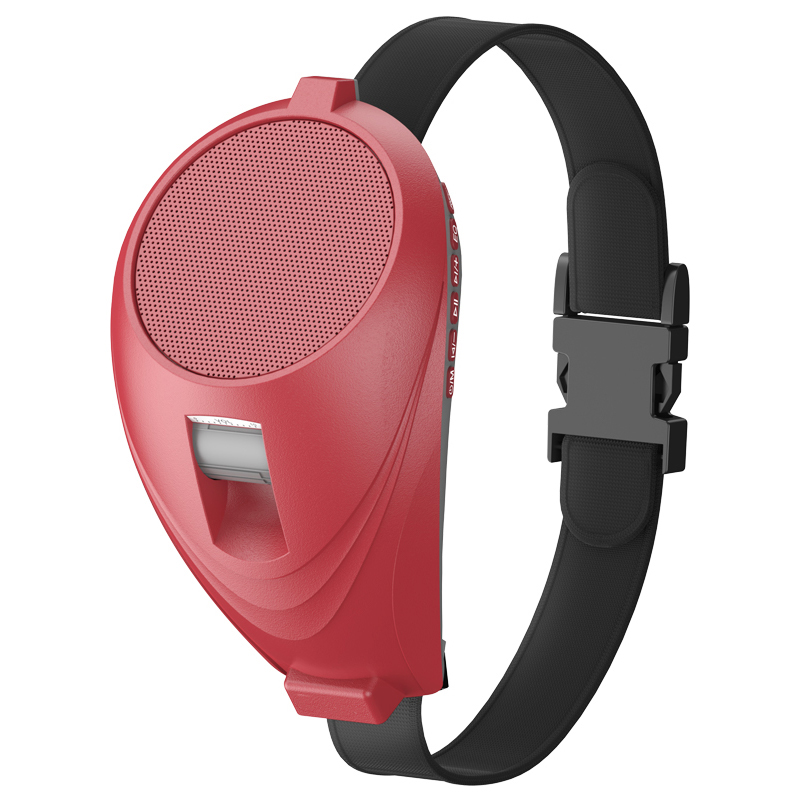
Wireless 5.0 Active Mini Megaphone – 5,000–10,000 mAh Belt-Mounted Portable Speaker
For Kawasaki school events, gym classes, orientation sessions and outdoor activities where clear voice projection matters.
- Bluetooth 5.0
- Belt-mounted
- Super bass
- Portable
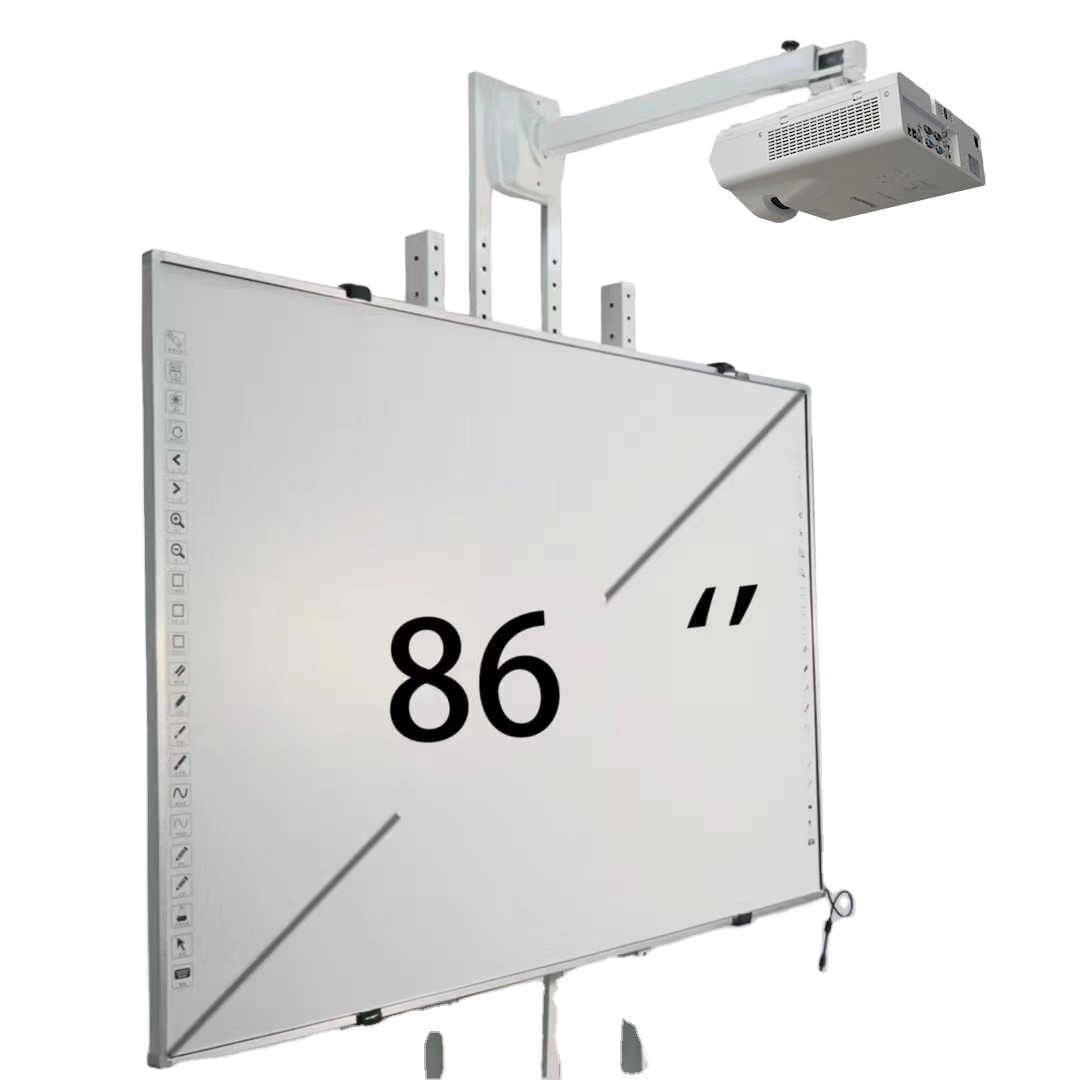
86 Inch Interactive Smart Board for Classroom Use – Dual-System Metal PET Whiteboard
A dual-system classroom display with 22 shortcuts and finger multi-touch for Kawasaki schools upgrading hybrid teaching rooms.
- 86 inch
- Dual-system
- Metal PET
- Multi-touch
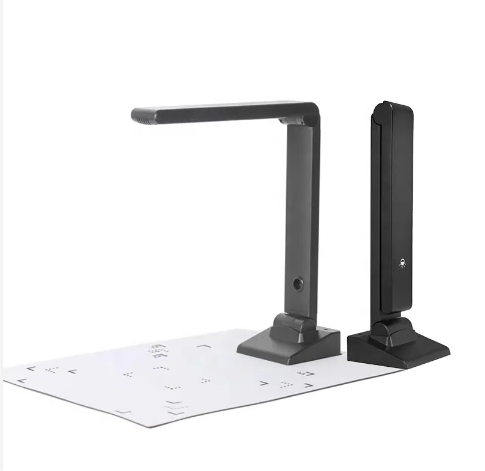
ShenMaiDi Portable 8MP Document Scanner – High-Speed Automatic A3 Book Scanner
A practical A3 book-capture unit with visual presenter function for textbook digitization, lesson preparation and library desk scanning.
- 8MP
- A3 / A4
- High-speed
- Visual presenter
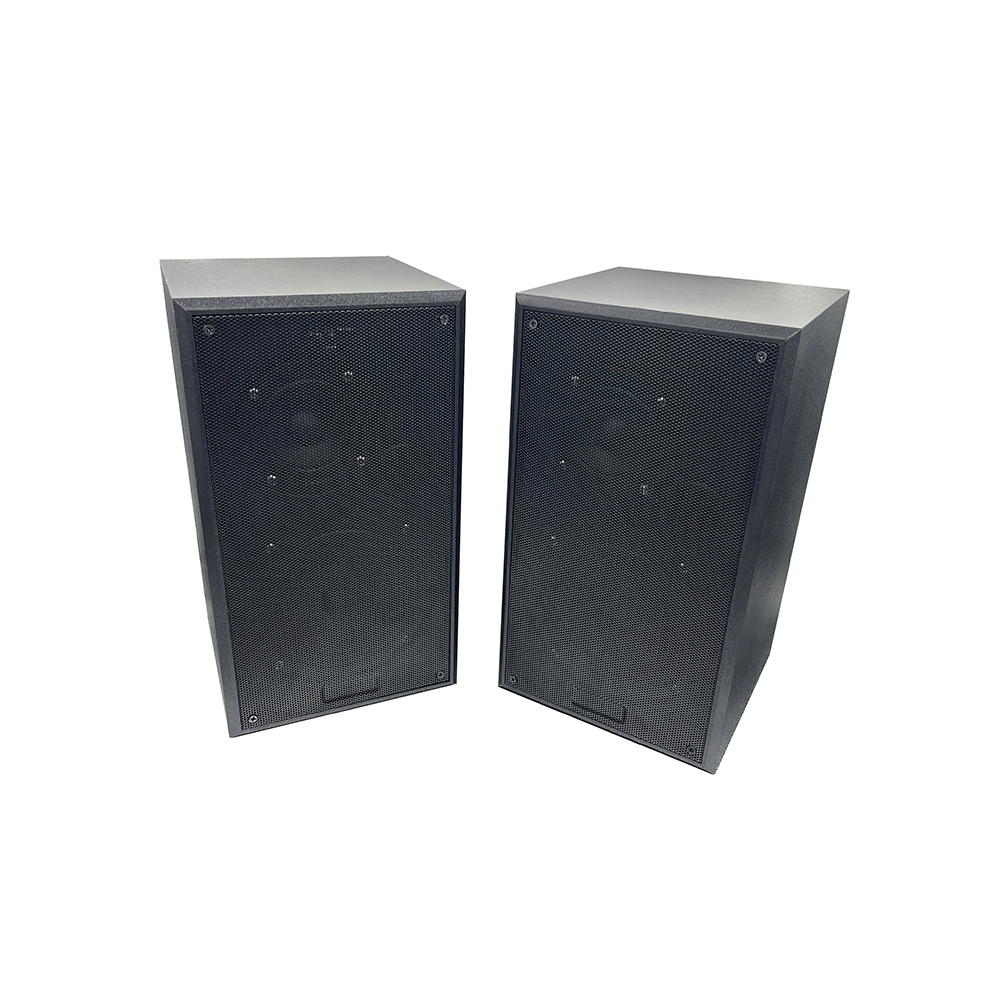
SHENMAIDI MD-S50A 50W Integrated Stereo Speaker & Sound Amplifier
For Kawasaki classrooms and training rooms that need intelligible speech reinforcement without a complex AV rack.
- 50W
- Stereo
- CE / CCC / FCC
- 1-year warranty
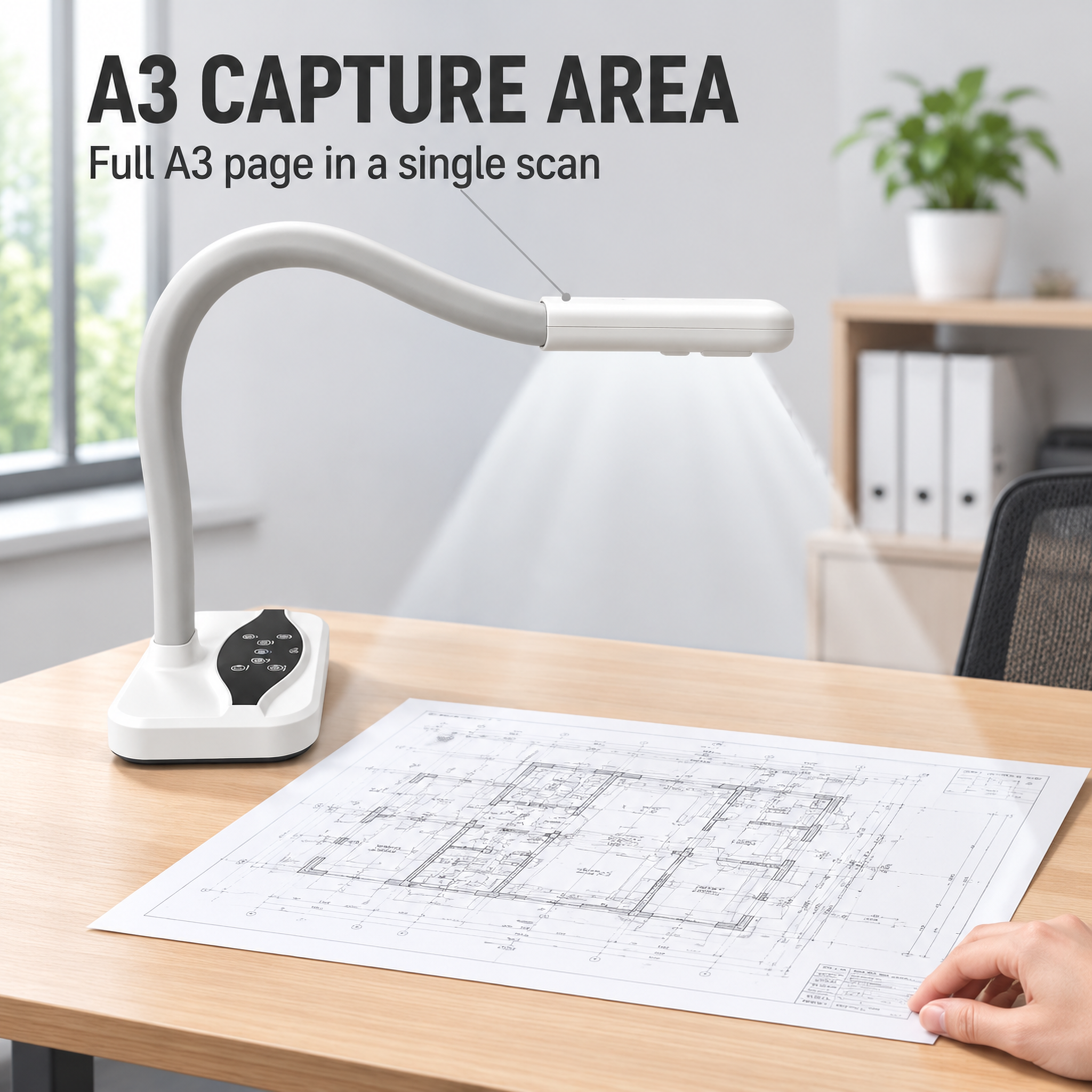
4K HD Document Camera – A3 Capture, HDMI Output, Type-C and SD Card
Ideal for Kawasaki lecture halls and hybrid classrooms where teachers present without a PC and need crisp text on large displays.
- 4K
- HDMI
- Type-C
- A3 capture
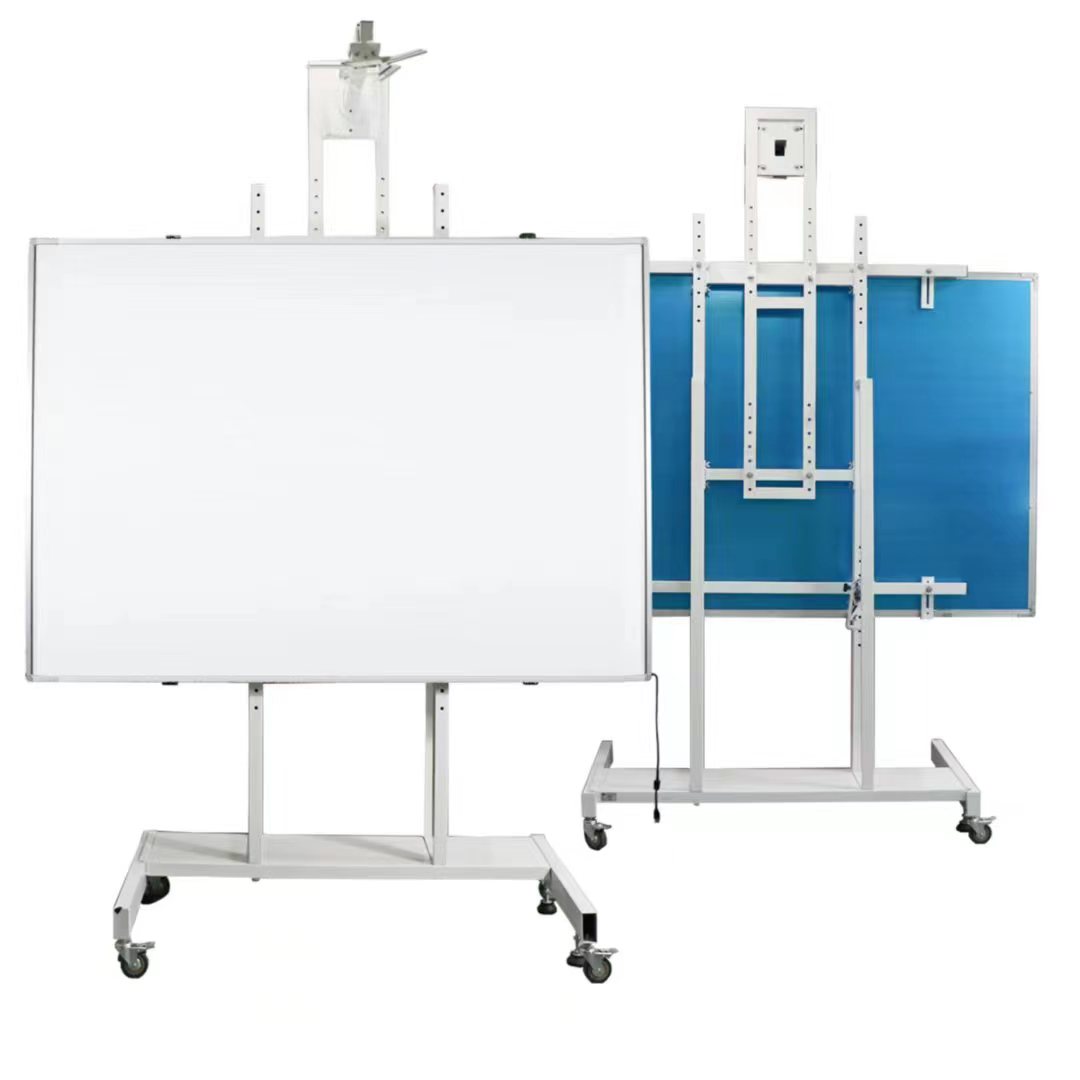
96 Inch Interactive Metal PET Whiteboard – Multimedia Touch Screen
A cost-controlled large-format board for Kawasaki schools, training centers and municipal learning rooms with projector-based setups.
- 96 inch
- Metal PET
- Touch screen
- Multimedia
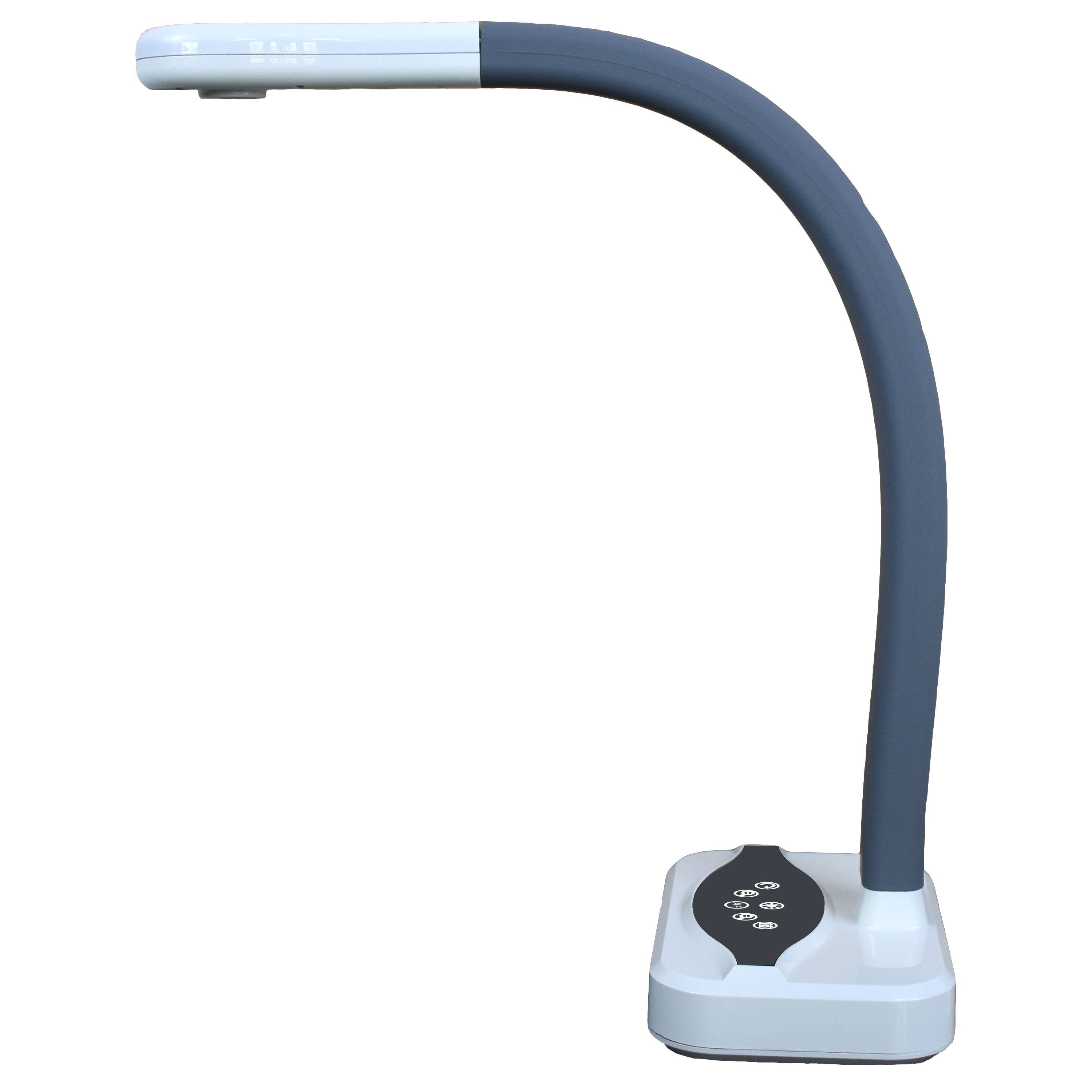
ShenMaiDi 13MP Foldable Document Camera Scanner – A3/A4, USB, 1S Scan, SDK
A stronger fit for Kawasaki software integrators and smart classroom vendors that need SDK access and repeatable one-second capture.
- 13MP
- 1S scan
- SDK
- A3 / A4
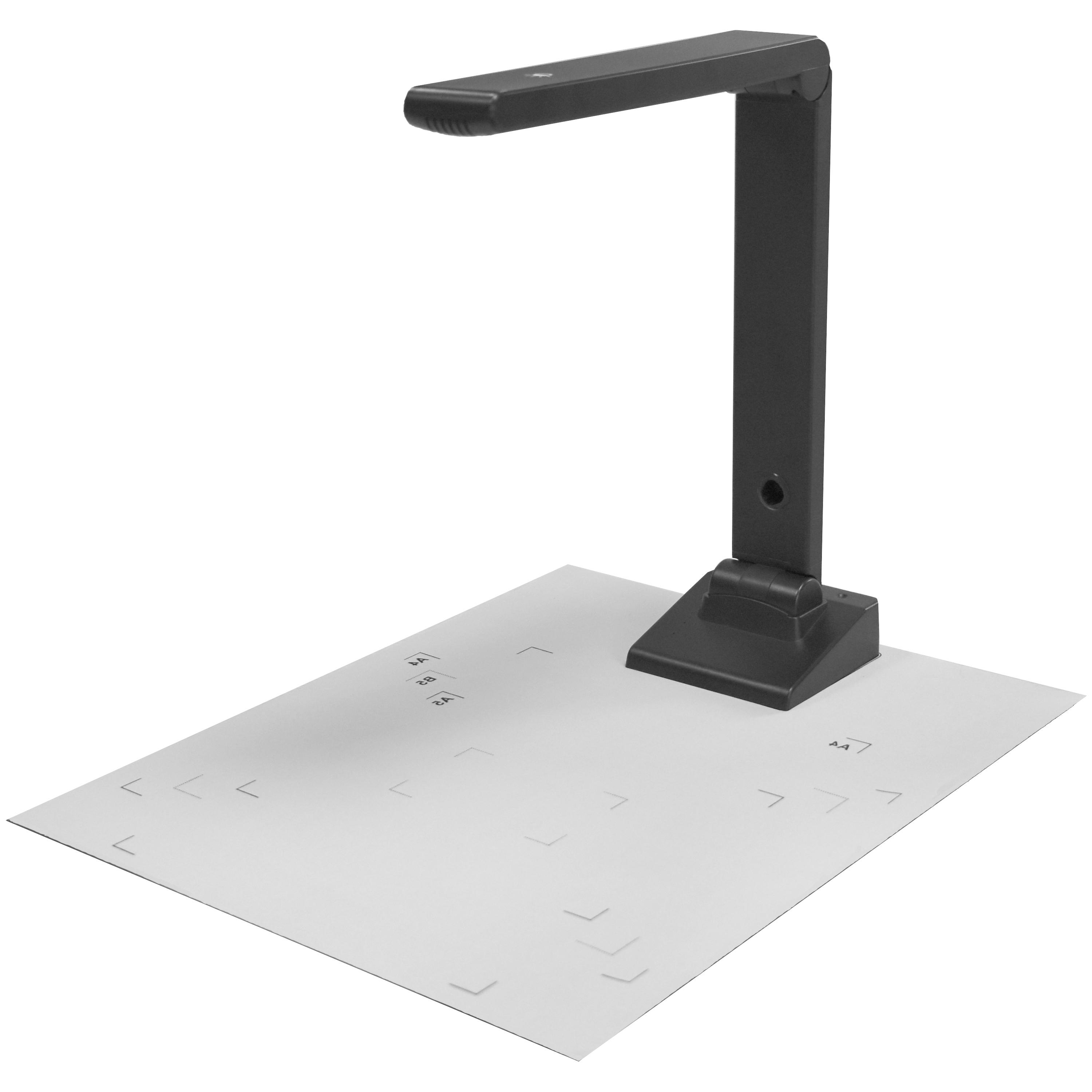
ShenMaiDi 8MP Portable Document Scanner – A3/A4, Assisted Text Conversion, SDK
A compact A3/A4 scanner with 24-bit colour depth and assisted text conversion for Kawasaki administrative digitization and tender documentation.
- 8MP CMOS
- 24-bit
- USB SDK
- 1S scan
A Verified OCR Book Scanner Factory Behind Kawasaki Procurement
Kawasaki buyers usually need more than a camera that can look down at a book. They need a supplier that can support sample evaluation, Japanese-language documentation requirements, tender specifications and repeat orders. This is where factory structure matters.
Manufacturer, not a marketplace reseller
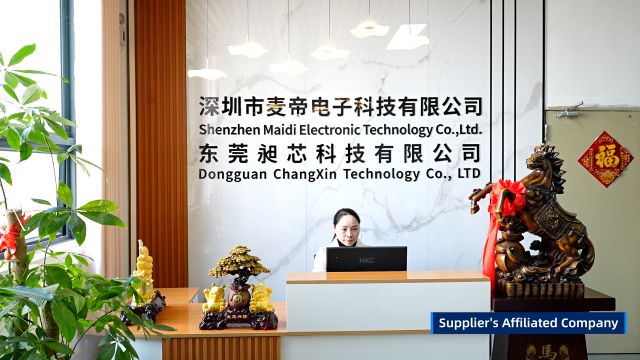
Shenzhen Kawelo Electronic Technology Co., Ltd. is a manufacturer with an integrated trading function. The company was founded in 2019, and its production site in Dongguan, Guangdong has been assessed onsite by SGS. R&D, firmware flashing, assembly, quality control and packing are handled in-house.
For the Kawasaki market, that structure reduces a common sourcing risk: the supplier may sell a book scanner, but cannot control firmware, packaging, spare parts or quality records. Our team works from chip-level solution selection through imaging algorithms, firmware and audio tuning, and then assembles and tests in our own production base.
OEM, design service and buyer-label production are available, including logo printing, custom packaging and graphic customization. Firmware is flashed and verified on dedicated burning stations, which matters when a Kawasaki integrator needs a fixed configuration across a tender batch.
The company operates with an 11–50 staff team and annual output in the US$2.5M–US$5M range. Selected document cameras and conference cameras can start from one piece; most webcams and document cameras from four to five pieces; interactive whiteboards typically from 30 pieces. Payment is accepted by T/T in USD or HKD, with FOB quotations.
What Makes an OCR Book Scanner Suitable for Kawasaki Workflows
Most disappointed OCR projects do not fail because the camera is too low-resolution. They fail because the book curve, lighting, software language pack and acceptance criteria were never tested together. Use the six checks below before issuing a Kawasaki tender.
A3 capture and book curvature
A3 coverage helps when scanning textbooks, workbooks and spreadsheets. For bound books, the practical test is whether the OCR engine can read curved text near the spine under the scanner’s own lighting, not whether the page fits inside the frame.
Resolution and 24-bit colour depth
8MP, 13MP and 16MP models suit different duties. For clean printed Japanese text and administrative forms, a well-lit 8MP scanner with 24-bit colour depth can be sufficient. For fine annotations, diagrams and technical drawings, step up the resolution and test the output at 100% zoom.
Japanese OCR language pack
The hardware captures the page; the OCR software decides how text is recognised. For Kawasaki users, ask the software provider to test scanned samples containing Japanese kanji, kana, punctuation, tables and handwritten notes. Selected Kawelo models support SDK integration and assisted text conversion.
One-second scan rhythm
Kawasaki library staff and school administrators need a repeatable rhythm: position the page, capture in about one second, review the image, then let OCR run. SDK-ready models are easier to integrate with existing document management or teaching software.
Interface fit: USB, HDMI, Type-C, SD
For OCR on a PC, USB and SDK matter most. For a lecture room, HDMI, Type-C and SD-card capture may be more important because teachers may present without a computer. Avoid paying for interfaces your Kawasaki site will not use.
Power supply and local compliance
CE certification for the document camera range is useful, but it does not automatically prove Japanese PSE or VCCI compliance. Kawasaki buyers should request the exact adapter specification, EMC documentation and model-level certificates before a tender closes.
Kawasaki Application Scenarios for OCR Book Scanners and Visual Presenters
Kawasaki City spans school districts, public facilities, research and industrial zones, and a dense network of corporate offices. The same A3 book scanner can serve very different workflows across Kawasaki-ku, Saiwai-ku, Nakahara-ku, Takatsu-ku, Miyamae-ku, Asao-ku and Tama-ku.
Kawasaki public school classrooms
Teachers can place a textbook, worksheet or student notebook under the scanner and project it instantly. OCR helps digitize printed materials for lesson preparation, while a 4K document camera supports science demonstrations and fine print.
Best fit: portable A3 scanner or 4K cameraLibraries, archives and local history
Kawasaki libraries and community archives often hold paper documents, newsletters, maps and local-history material. An A3 book scanner is useful for reading-room capture and text conversion, while high-resolution cameras support fragile-page handling without a flatbed press.
Best fit: 8MP or 13MP book scannerUniversities and vocational training
Technical schools and training providers in Kawasaki need to show small components, circuit diagrams and printed procedures to a whole class. The 4K document camera with HDMI and Type-C output is a practical fit for lecture rooms and hybrid sessions.
Best fit: 4K visual presenterIndustrial and port-area offices
Companies around Kawasaki’s industrial and port belt still handle drawings, inspection sheets, contracts and supplier documents. A compact A3/A4 scanner with USB SDK can feed OCR and document-management workflows without occupying a large floor area.
Best fit: SDK document scannerBoard of education and administrative digitization
Paper forms, meeting packs, attendance sheets, PTA materials and school records can be captured quickly and converted into searchable text. Buyers should define retention policy, file naming and OCR language before selecting hardware.
Best fit: assisted text conversion scannerHybrid learning and accessibility
When a Kawasaki classroom combines remote learners with in-person students, visual presenters and large interactive boards keep printed material visible. Audio reinforcement with the MD-S50A speaker improves intelligibility for larger rooms and training sessions.
Best fit: smart board + speaker + scannerLocal Development Trends Reshaping Book Scanning Demand
Japan’s education and administrative digital transformation is not only about new screens. It is also about converting existing paper into usable digital content, preserving layout and making scanned material searchable.
GIGA School and classroom DX
Schools in Kawasaki continue to look for practical capture tools that work alongside tablets, projectors and existing learning platforms. Book scanners help teachers bridge printed textbooks and digital lessons.
Paperless administration
Municipal offices, school boards and companies need to reduce paper storage. OCR turns scanned forms and meeting documents into searchable archives, but only when image quality and language settings are tested properly.
Hybrid work and remote support
Kawasaki employers use visual presenters and document cameras in video meetings, remote inspections and training. A camera that can show a document clearly is often more useful than a fixed webcam pointed at a person.
Accessibility and ageing workforce
Larger displays, text conversion and amplified audio help staff and students read and hear material more easily. These are practical requirements in Kawasaki facilities serving mixed-age users and diverse learning needs.
How Kawasaki buyer priorities are shifting
Indicative weighting from common Kawasaki procurement questions and tender discussions, not a formal market statistic. It shows why a cheap scanner can lose on total project risk.
- OCR output acceptance before price comparison
- A3 capture for textbooks, forms and drawings
- SDK support for local software integrators
- Clear power, warranty and documentation evidence
Recommended Product Matches for Kawasaki OCR and Classroom Projects
Do not start by comparing megapixels. Start with the Kawasaki use case, the software path and the evidence your procurement team must retain.
Classroom textbook capture
ShenMaiDi Portable 8MP A3 Document Scanner with Visual Presenter.
Why it fits: A3 book scanning, visual presenter function, straightforward classroom deployment.Administrative OCR digitization
ShenMaiDi 8MP Portable Document Scanner with assisted text conversion.
Why it fits: 24-bit colour depth, A3/A4 support, USB SDK, compact footprint.Software integrator projects
ShenMaiDi 13MP Foldable Document Camera Scanner with SDK.
Why it fits: one-second scan, CMOS sensor, A3/A4 USB, SDK for local software partners.Lecture halls and PC-free presenting
4K HD Document Camera with HDMI, Type-C and SD card.
Why it fits: 4K detail, A3 capture, touch keys and direct display output for large rooms.| Kawasaki use case | Recommended model | Selection reason | Procurement note |
|---|---|---|---|
| School book and worksheet capture | ShenMaiDi Portable 8MP A3 Book Scanner | A3/A4 capture and visual presenter function suit everyday teaching. | Test OCR with Japanese textbook pages and confirm USB driver compatibility. |
| Office document text conversion | ShenMaiDi 8MP A3/A4 Portable Scanner | Assisted text conversion and 24-bit colour depth support admin scanning. | Define file naming, searchable PDF requirement and storage location. |
| Integrator or smart classroom platform | ShenMaiDi 13MP Foldable Scanner with SDK | SDK access and one-second scan help connect third-party software. | Request SDK documentation and a sample image set before development. |
| Lecture-room visual presentation | 4K HD Document Camera with HDMI and Type-C | 4K output and direct display interfaces reduce PC dependency. | Check projector or display resolution and cable distance. |
| Classroom bundle with interactive board | 86 Inch or 96 Inch Interactive Board plus scanner | Combines large-format display with printed-material capture. | Confirm wall-mount, power and network requirements for the room. |
| Audio reinforcement for larger rooms | SHENMAIDI MD-S50A 50W Speaker | Integrated stereo amplifier speaker simplifies classroom audio. | Confirm input type, room size and volume requirements. |
Why Kawasaki Distributors and Integrators Work with Kawelo
The company’s advantage is not a single product specification. It is the ability to keep branding, firmware, quality records, packaging and export documentation aligned across a repeatable order.
Third-party verified factory
SGS onsite assessment and quality-management certification help a Kawasaki procurement team evaluate supplier risk before asking for samples.
OEM, ODM and buyer-label production
Logo printing, custom packaging and graphic customization are available for distributors that need to present the product as their own brand.
Chip-to-firmware engineering
In-house firmware burning and imaging know-how are relevant when a Kawasaki project requires a fixed configuration, SDK support or repeatable batch quality.
Flexible order validation
Selected document cameras and conference cameras start from one piece, most webcams and document cameras from four to five pieces, and interactive whiteboards typically from 30 pieces.
Complete room bundles
Pair OCR book scanners, interactive whiteboards, visual presenters and audio from one supplier to simplify tender-ready classroom and meeting-room packages.
Export-ready terms
FOB quotations, T/T payment in USD or HKD, and established export experience across Southeast Asia, Africa, North America and Oceania support Kawasaki import planning.
Checklist Before Issuing a Kawasaki OCR Scanner Tender
Use this checklist to separate a demonstrator that looks good in a video from a scanner that can pass acceptance testing in Kawasaki.
| Checkpoint | Why it matters in Kawasaki | Evidence to request |
|---|---|---|
| Japanese OCR sample | Recognition quality depends on fonts, tables, handwriting and layout. | Sample scans of actual Japanese school or office pages, processed by the intended OCR engine. |
| Book curve handling | Bound textbooks and files often bend near the spine. | Test images from curved pages, not only flat sheets; specify acceptable OCR pass rate. |
| Lighting and glare | Glossy paper and laminated documents can produce hotspots. | Sample images under the scanner’s LED light; check whether brightness is adjustable. |
| SDK / API support | Kawasaki integrators may need to embed capture into local software. | SDK documentation, supported operating systems, sample code and driver details. |
| Power and EMC | CE certification does not automatically confirm Japanese PSE or VCCI compliance. | Model-level certificates and adapter specifications; confirm PSE-compliant power supply if required. |
| Warranty and spares | Schools and public offices need predictable after-sales support. | Warranty statement, spare-parts list, remote diagnostic process and firmware update policy. |
| Packaging and documentation | Kawasaki distributors may require buyer-label cartons and clear manuals. | Artwork proof, label approval process, manual language plan and carton drop-test details if required. |
| Sample delivery to Kanagawa | A physical sample is still the fastest way to validate book scanning. | Sample order confirmation, shipping schedule and return or follow-up process for Kawasaki buyers. |
FAQ for Kawasaki OCR Book Scanner Buyers
These are the practical questions procurement teams and integrators ask before moving from a product link to a sample order.
Do you ship OCR book scanners to Kawasaki and Kanagawa?
Yes. The factory quotes FOB terms and can coordinate with the buyer’s freight forwarder for shipment to Japan. Kawasaki-bound buyers typically arrange delivery through Tokyo or Yokohama forwarding channels. For first evaluation, selected models can be supplied as samples so the OCR workflow can be tested before a larger order.
Does the scanner include Japanese OCR software?
The scanner captures high-resolution page images. Japanese OCR accuracy depends on the software engine and language pack you run. Selected models support SDK integration and assisted text conversion, but buyers should test sample Japanese pages with the intended OCR application. We can provide sample images so your software partner can verify recognition before purchase.
Can you customize products for a Kawasaki distributor or school tender?
OEM service, design service and buyer-label production are available, including logo printing, custom packaging and graphic customization. Firmware is flashed and verified in-house. For Japanese-language manuals or labels, the buyer can provide approved translation content and our team can support packaging and documentation customization for the order.
What is the minimum order quantity?
MOQ depends on the model. Selected document cameras and conference cameras start from one piece; most webcams and document cameras from four to five pieces; interactive whiteboards typically from 30 pieces. This allows a Kawasaki buyer to validate a sample first and then scale to a school or corporate rollout.
Do your products meet Japanese electrical requirements?
CE certification is held for the document camera range, and the factory has passed an SGS onsite supplier assessment. CE is not the same as Japanese PSE approval, and EMC requirements such as VCCI may apply depending on the product and installation. Kawasaki buyers should request model-specific adapter specifications and compliance documents before tender award.
What warranty do you provide?
Document cameras carry a standard one-year warranty. Warranty terms for interactive whiteboards, speakers, conference cameras and other categories should be confirmed in the quotation. For public-sector projects, request the warranty statement, spare-parts plan and remote support process as part of the procurement file.
What payment and delivery terms are accepted?
Payment is accepted by T/T in USD or HKD, and quotations are issued on FOB terms. Delivery schedule depends on the model, order quantity and customization requirements. For Kawasaki projects, share the required arrival window and whether the shipment should be prepared for a distributor warehouse or direct site delivery.
Can you support a tender requiring SDK, A3 scanning and interactive boards?
Yes. The range includes A3/A4 document scanners with SDK, 4K visual presenters with HDMI and Type-C, interactive boards from 86 inch to 96 inch, and classroom audio. For a Kawasaki tender, send the technical schedule, quantities, delivery date and acceptance criteria; our team can recommend matching models and prepare datasheets for evaluation.
Send Your Kawasaki OCR Book Scanner Brief
Share your capture size, OCR language, software integration requirement, tender date and target quantity. We will recommend the most suitable scanner or classroom bundle and prepare the product evidence your procurement team needs.
Send an InquiryFactory contact: info@kawelotech.com · Shenzhen Kawelo Electronic Technology Co., Ltd. · Dongguan, Guangdong, China